
From 41 to 77: Chasing the Green Circle on a Real Next.js Site
A Lighthouse score of 41 is humbling. Here's what it looked like to claw it back — and what the numbers actually mean when your hero section is a wall of photographs.
When you build a university Christian union website, you pour energy into the mission statement, the photo grid, the dark-mode toggle, the gilded "Fellowship" heading. Performance? That comes later. Except when it doesn't, and Lighthouse greets you with a red 41.
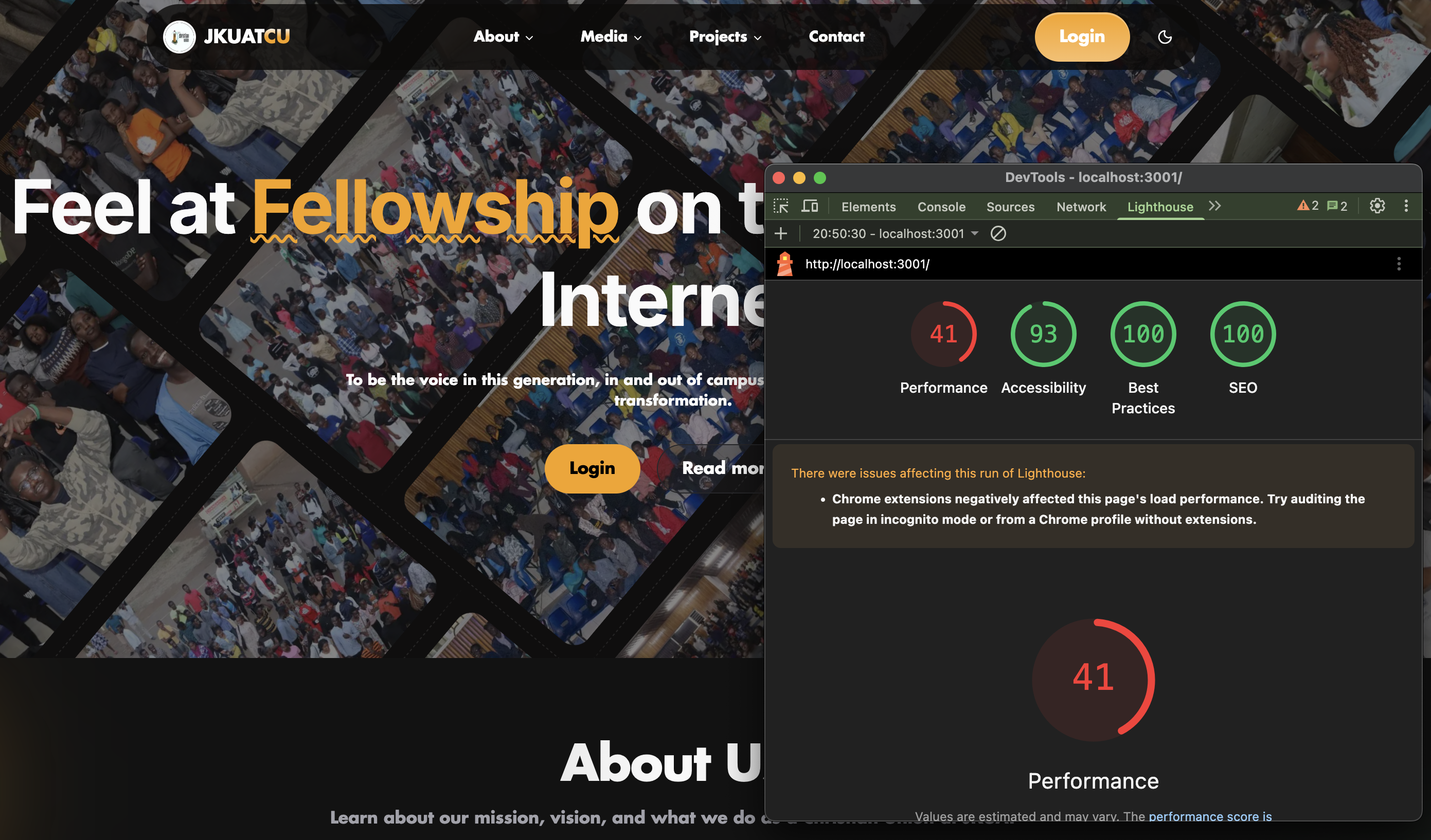
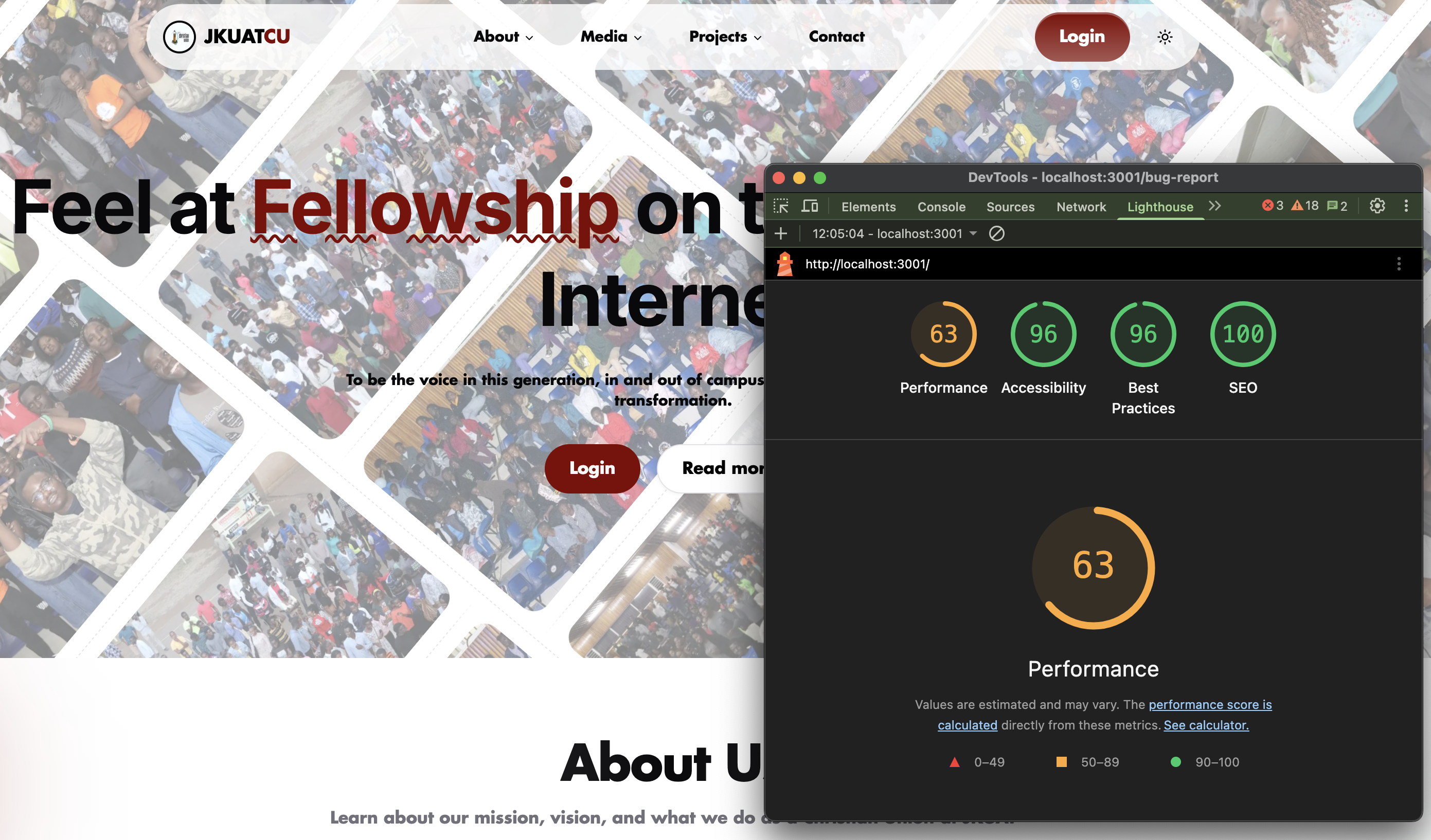
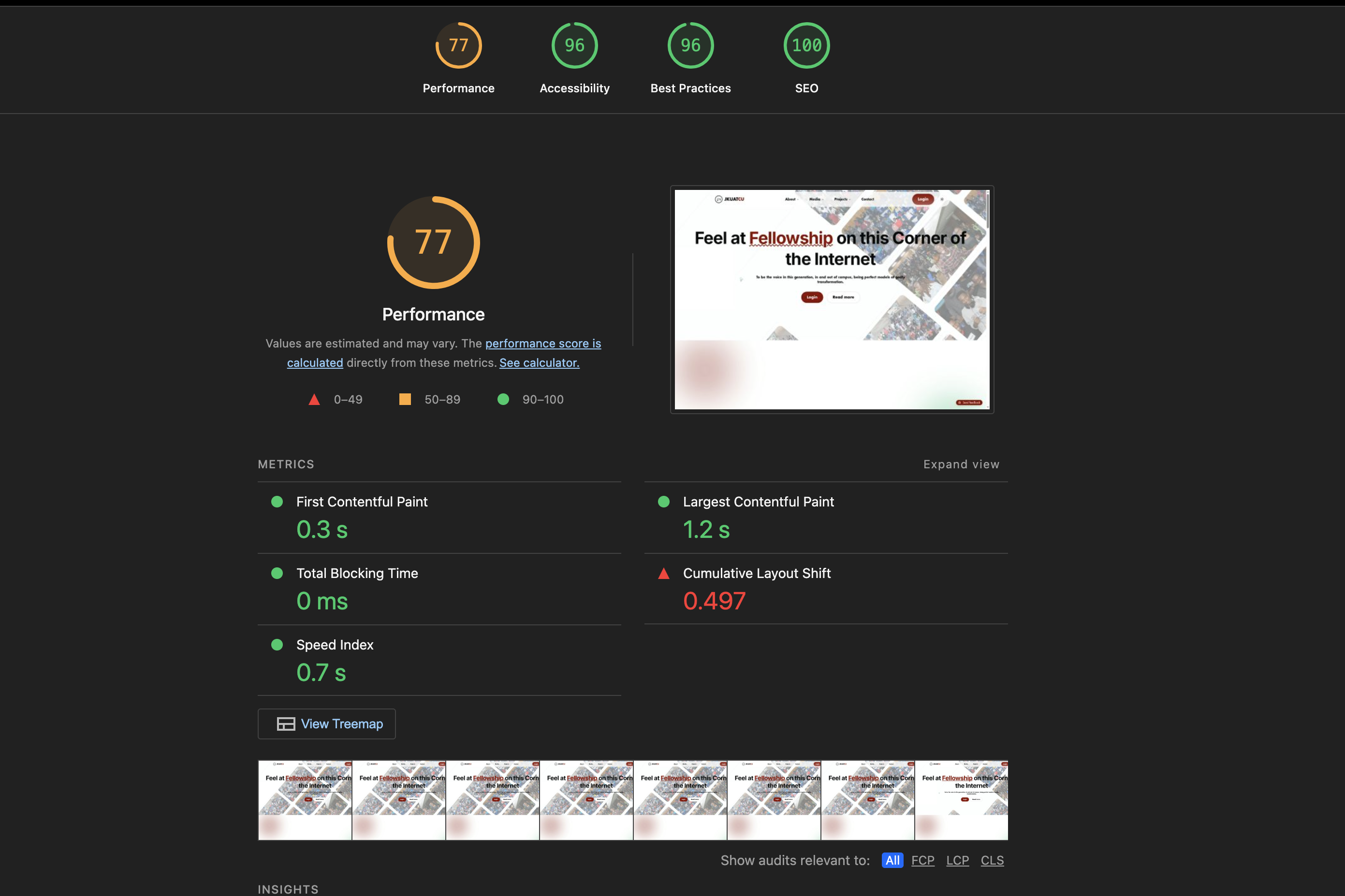
The screenshots above tell the story of a three-stage journey on JKUATCU's Next.js site — from a painful 41, up to 63 mid-sprint, landing at 77 (still in orange, but close). This post unpacks every step, using those real Lighthouse runs as anchors.
What the numbers actually mean
| Run | Performance | Accessibility | Best Practices | SEO |
|---|---|---|---|---|
| Starting point | 🔴 41 | 93 | 100 | 100 |
| Mid-sprint | 🟠 63 | 96 | 96 | 100 |
| Latest run | 🟠 77 | 96 | 96 | 100 |
The score that stayed green the entire time? SEO. 100 across all three runs. Which tells you something important: Lighthouse rewards intent. The meta tags were right, the headings were structured, the semantic HTML was in place. Performance is the harder and slower category to improve — and it's largely about what you load, when.
The 41: what went wrong
The first screenshot was taken with Chrome extensions active — which Lighthouse itself flagged in an orange warning: "Chrome extensions negatively affected this page's load performance." Running in incognito mode is step zero. But even discounting that, a 41 points to something structural.
The JKUATCU homepage hero is built from a grid of real event photos — aerial crowd shots, large JPEGs, heavy assets loaded immediately. In Next.js, if you reach for a plain <img> tag instead of next/image, you forfeit the entire image optimisation pipeline: no WebP conversion, no lazy loading, no intrinsic size reservation, no responsive srcset.
The single biggest win available in any Next.js project — swap every
<img>for<Image>fromnext/image. It costs two lines of code and routinely adds 20–30 Lighthouse points.
The 63 mid-sprint: real gains, stubborn CLS
The second run — 63 — shows the impact of the first wave of fixes. Accessibility improved from 93 to 96. Best Practices also moved. But the performance number, now in orange territory, tells you there's a persistent problem that image optimisation alone can't solve.
The third screenshot reveals the culprit: Cumulative Layout Shift of 0.497. That is a very bad number.
Core Web Vitals at the 77 mark
| Metric | Value | Status |
|---|---|---|
| First Contentful Paint | 0.3 s | ✅ Good |
| Largest Contentful Paint | 1.2 s | ✅ Good |
| Total Blocking Time | 0 ms | ✅ Good |
| Cumulative Layout Shift | 0.497 | ❌ Poor |
CLS measures how much the page visually shifts after it starts loading. A score above 0.1 is considered poor. At 0.497, elements are jumping significantly as assets load in — most likely because the hero images don't have reserved dimensions, causing the layout to reflow as each image resolves.
Fixing CLS in a photo-heavy hero
This is where Next.js's Image component does its best work — but only if you use it correctly. The key is always providing explicit width and height props, or using the fill layout with a parent container that has a known aspect ratio. Without dimensions, the browser has no idea how much space to reserve, and layouts shift.
Step 1 — Reserve space
Add explicit width and height to every Image component in the hero grid. If using fill, wrap each image in a div with position: relative and a fixed aspect-ratio or explicit height.
// Before — causes CLS
<img src="/event-photo.jpg" />

// After — reserves space before the image loads
<Image
  src="/event-photo.jpg"
  width={800}
  height={600}
  alt="JKUATCU event"
/>
Step 2 — Prioritise the LCP image
Add the priority prop to the largest above-the-fold image. This tells Next.js to preload it, dropping LCP. The other images in the grid should not get priority — let them lazy-load off-screen.
<Image
  src="/hero-main.jpg"
  width={1200}
  height={800}
  alt="JKUATCU fellowship"
  priority  // only on the largest above-the-fold image
/>
Step 3 — Format and compress
Next.js serves WebP and AVIF automatically when you use next/image. But make sure your source images aren't giant RAW exports. Compress originals before committing — 800KB JPEGs turn into 80KB WebP, but starting from 8MB is wasteful.
Step 4 — Audit third-party scripts
The 77-score run still has headroom. Check for analytics, font loaders, and social embeds loaded synchronously in _document.tsx. Move them to next/script with strategy="lazyOnload" to stop them from blocking paint.
import Script from 'next/script'

<Script
  src="https://analytics.example.com/script.js"
  strategy="lazyOnload"
/>
The 77: a respectable foundation
The final screenshot — 77 with a 0.3s FCP and 0 ms Total Blocking Time — shows a site that loads fast and renders immediately. The content appears in under a third of a second. The main thread is never blocked. These are the metrics that users feel.
The remaining gap to green (90+) will almost certainly live in that CLS score. A few targeted changes to the hero image grid — explicit dimensions, stable containers, possibly replacing the absolute-positioned diagonal photo layout with a CSS Grid that reserves space ahead of paint — should close it.
What stays green no matter what
Throughout all three runs, SEO held at 100. Best Practices climbed from 100 to 96 (a small regression worth investigating — likely a mixed-content or deprecated API warning) and Accessibility moved from 93 to 96. These scores are cheaper to maintain than Performance because they're about structure and intent, not bytes over the wire.
Performance is the humbling one. It punishes every kilobyte, every render-blocking import, every image without a size. But it's also the most direct line to the experience your users actually have — especially on mobile data in Juja.
The metrics above are from Lighthouse runs on localhost:3001. Real-world scores on production over mobile networks will differ — often lower. Always test with Lighthouse in incognito mode, and compare against PageSpeed Insights for field data.
Comments
Comments Coming Soon
Share your thoughts and feedback on this post. Comments section will be available soon.